Splitter & Music Stem Separator, Splitter
Split Any Song Into Stems.
Split any song into vocals, drums, bass, guitar & more with studio-grade AI — remix, mute, remaster, or create instant karaoke, right on your phone.
What makes Stems Lab: Vocal Remover AI different.
Frequently asked
about Stems Lab: Vocal Remover AI.
How does Stems Lab split a song into stems?
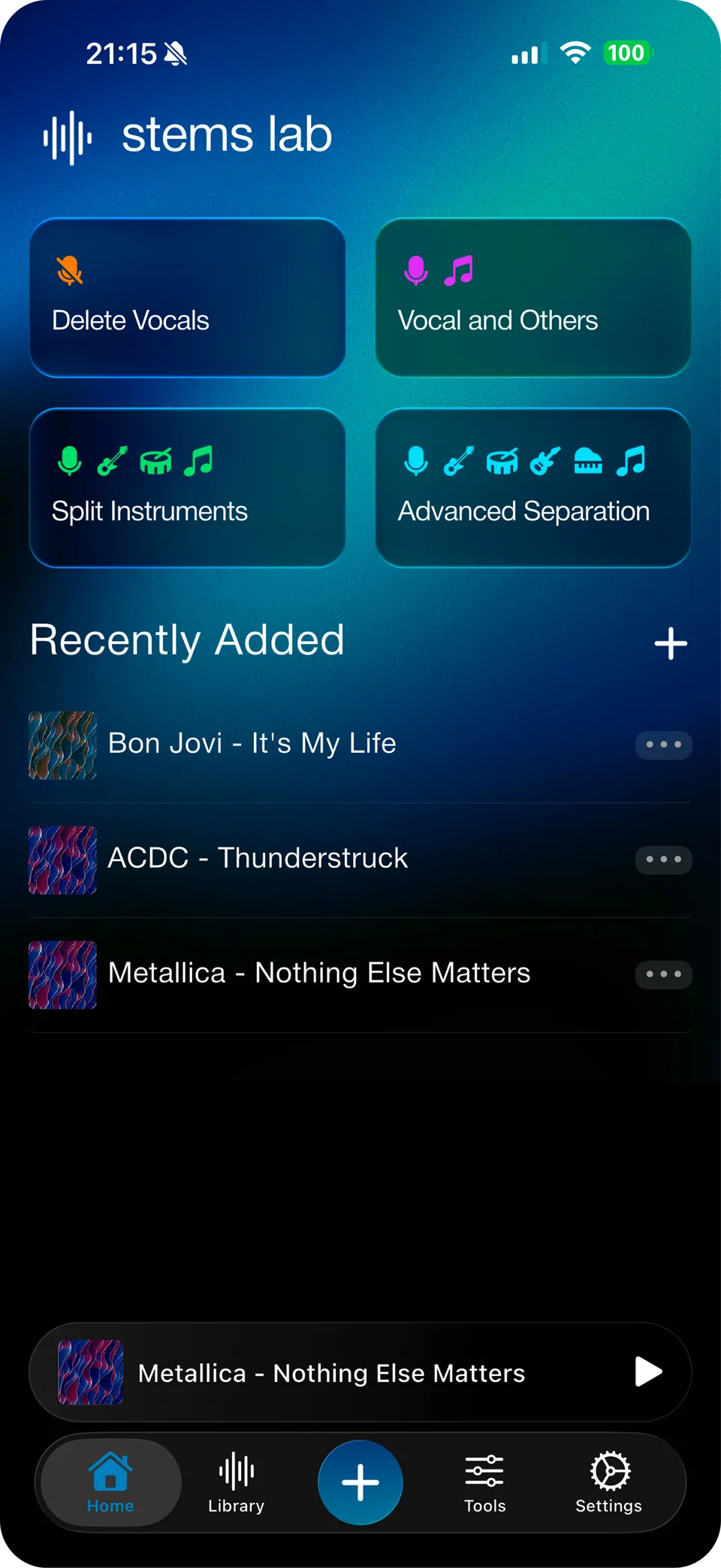
Stems Lab uses AI-powered stem separation to pull any track apart into 2, 4 or 6 stems — vocals, bass, drums, guitar, piano and other instruments. Import a song, pick a Quick Action or Advanced Separation, and get studio-grade stems back in seconds.
Is Stems Lab free to use?
Yes. Stems Lab is free to download and gives you real AI stem separation right away. Pro removes daily, weekly and duration limits, unlocks 6-stem separation with Guitar and Piano isolation, and adds lossless WAV/FLAC export — with a free trial.
What audio and video formats can I import?
Stems Lab supports MP3, WAV, FLAC, M4A, MP4, MOV, WMA, AAC, CAF and AIF. Bring in audio from your files, a gallery video, a direct URL, a live microphone recording, or the share sheet from any other app.
Can I edit the stems, not just download them?
Yes. Mute or solo any stem, pan it left or right, adjust its volume, shift pitch in semitones, change playback speed, and add Echo, Reverb and Bass Boost — or switch to Editor Mode to fine-tune BPM and pitch together.
Can I make karaoke or acapella tracks with Stems Lab?
Absolutely. Use the one-tap Remove Vocals (Karaoke Mode) or Extract Vocals Quick Action to instantly get an instrumental or an acapella from any song, then export it in MP3, M4A, WAV or FLAC.
What's the difference between 2, 4 and 6-stem separation?
2-stem gives you Vocals and Instrumental for quick karaoke. 4-stem splits out Vocals, Bass, Drums and Other for remixing. 6-stem, on Pro, adds isolated Guitar and Piano for full instrument-by-instrument control.
Why Stems Lab: Vocal Remover AI is worth downloading.
Most vocal removers give you a muddy instrumental and call it a day. Stems Lab is built for people who actually want to use what comes out the other side — producers bouncing a clean acapella for a remix, cover artists building a backing track, drummers isolating just the kit to practice along to, and anyone who wants a karaoke version of a song that doesn't exist as one yet.
What sets it apart is everything that happens after the split: real per-stem mixing with mute, pan, volume, pitch and speed, a built-in effects rack, and export in the format your workflow actually needs — including lossless WAV and FLAC. Start free with real 2 and 4-stem separation, then go Pro when you need 6 stems, longer tracks, and unlimited runs.