Splitter & Music Stem Separator, Splitter
KI-Vocal-Remover.
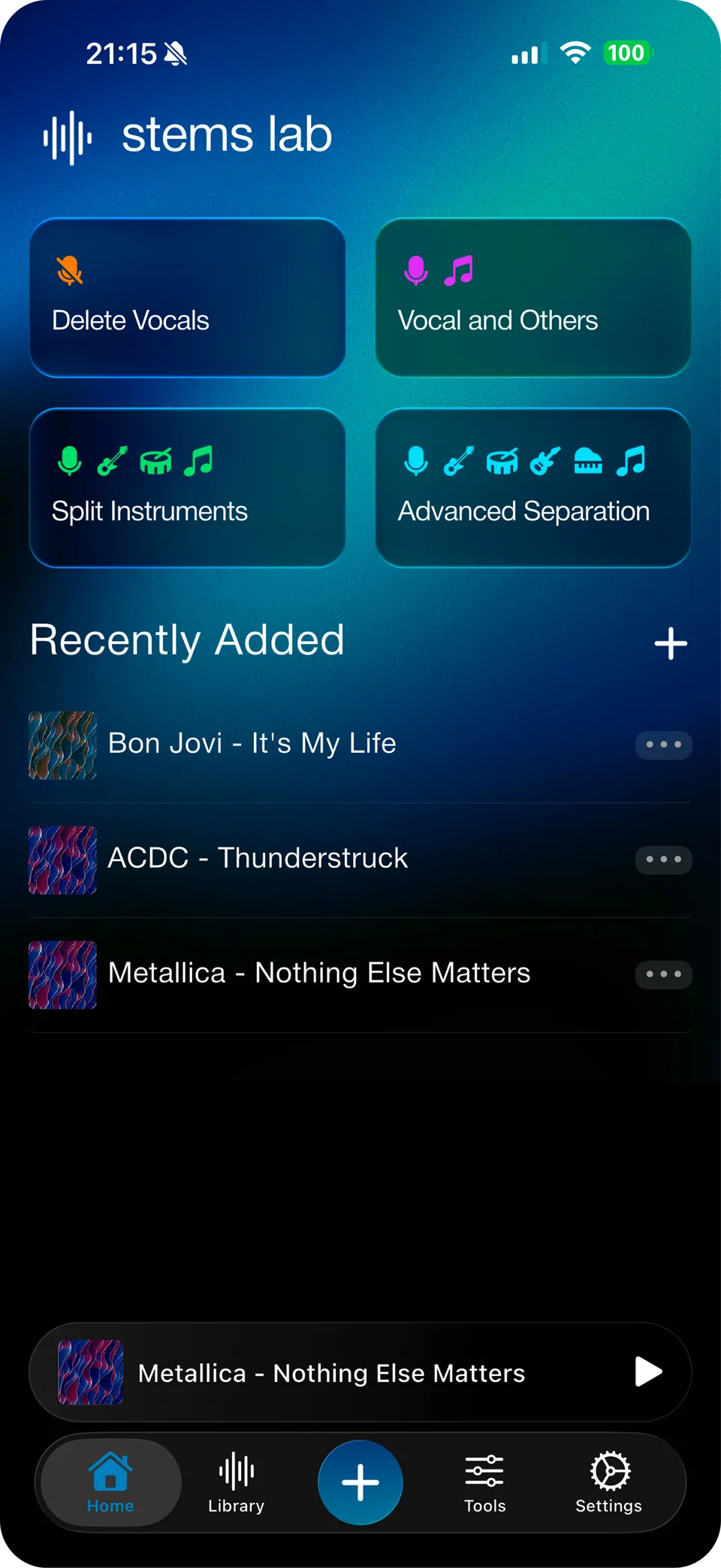
Isoliere Vocals, Drums, Bass und Instrumente aus jeder Spur in Sekunden. KI-Trennung in Studioqualität — direkt auf deinem Smartphone.
Was Stems Lab: Vocal Remover AI anders macht.
Häufige Fragen
zu Stems Lab: Vocal Remover AI.
Wie entfernt Stems Lab: Vocal Remover AI Vocals aus einem Song?
Stems Lab: Vocal Remover AI nutzt ein KI-Modell, das auf Millionen von Musikstücken trainiert wurde und direkt auf deinem Gerät läuft, um jeden Song in einzelne Stems zu zerlegen — Vocals, Drums, Bass und andere Instrumente. Du lädst eine Spur hoch und erhältst in Sekunden isolierte Stems in Studioqualität, ganz ohne Internet.
Ist Stems Lab: Vocal Remover AI kostenlos?
Ja. Stems Lab: Vocal Remover AI kannst du im App Store und bei Google Play kostenlos herunterladen. Du kannst Tracks ohne Kosten in Vocals, Drums, Bass und Instrumente zerlegen.
Welche Audioformate unterstützt Stems Lab: Vocal Remover AI?
Stems Lab: Vocal Remover AI unterstützt die gängigsten Musikformate, darunter MP3, WAV, M4A, AAC und FLAC. Du kannst Tracks direkt aus der Musikbibliothek oder der Dateien-App deines Geräts importieren.
Funktioniert Stems Lab: Vocal Remover AI ohne Internet?
Ja. Stems Lab: Vocal Remover AI verarbeitet Audio vollständig auf deinem Smartphone und funktioniert daher offline. Deine Spuren verlassen dein Gerät niemals — das bedeutet vollständige Privatsphäre und keine Wartezeit für Uploads.
Kann ich mit Stems Lab: Vocal Remover AI Karaoke- oder Acapella-Tracks erstellen?
Absolut. Stems Lab: Vocal Remover AI ist der schnellste Weg, Karaoke-Versionen (nur Instrumental) oder Acapellas (nur Vocals) jedes Songs zu erstellen. Exportiere die Stems, die du brauchst, und nutze sie überall.
Why Stems Lab: Vocal Remover AI is worth downloading.
Most vocal removers give you a muddy instrumental and call it a day. Stems Lab is built for people who actually want to use what comes out the other side — producers bouncing a clean acapella for a remix, cover artists building a backing track, drummers isolating just the kit to practice along to, and anyone who wants a karaoke version of a song that doesn't exist as one yet.
What sets it apart is everything that happens after the split: real per-stem mixing with mute, pan, volume, pitch and speed, a built-in effects rack, and export in the format your workflow actually needs — including lossless WAV and FLAC. Start free with real 2 and 4-stem separation, then go Pro when you need 6 stems, longer tracks, and unlimited runs.